

List of the Tasks
Show List of the Tasks using "repcli"
The “compare list” command is used to show list of the configured tasks:
repcli compare list capture=capture_idThe parameter is:
- capture - ID of the Capture Process
REST API
Endpoint: https://repstance_url/compare/list
- Method: POST
- Header:
- Content-Type: application/json
- X-Token: token
- Body:
id_of_the_capture_process
The body is the id of the Capture Process as a plain number, not a JSON object, for example 2. The response is a JSON array with the names of the tasks.
Web UI
The configured tasks are the tabs of the “Compare” window of the Capture Process (click “Compare” on the card of the Capture Process). The report under a tab shows the status of the task and of its tables; a new task has the status INIT until it is run:
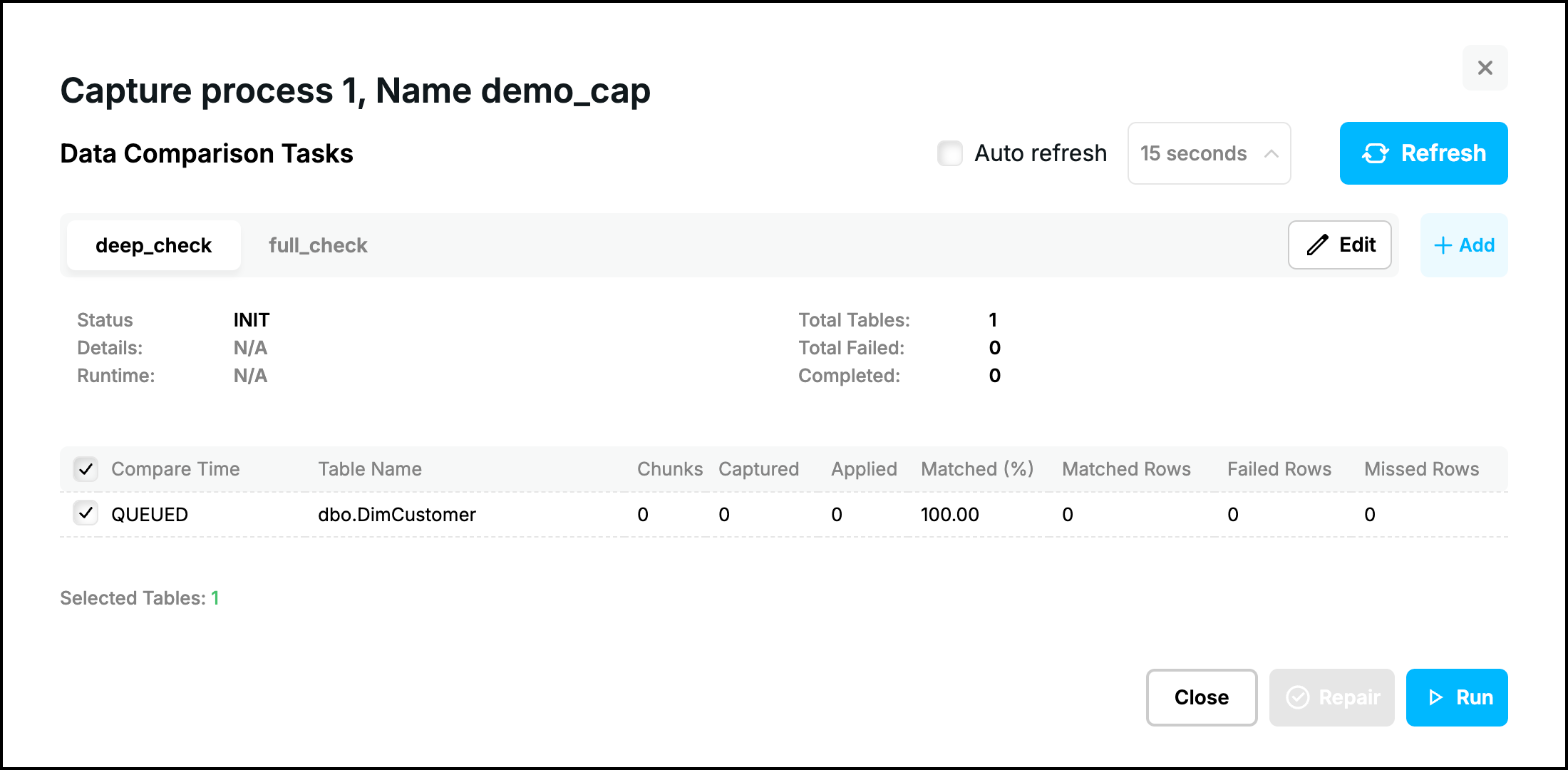
See Compare Data for the parts of the window and Task Configuration for adding, changing and deleting the tasks.
Prev page:
Show TaskNext page:
Remove Task- Repstance User Guide
- ABOUT REPSTANCE
- SUPPORTED DATABASE REQUIREMENTS
- GETTING STARTED WITH REPSTANCE
- INTERACTING WITH REPSTANCE SERVER
- CONFIGURE REPLICATION WITH REPSTANCE
- DATABASE CONFIGURATION COMMANDS
- PROCESS CONFIGURATION COMMANDS
- PROCESS CONTROL COMMANDS
- REPSTANCE WEB USER INTERFACE
- REPSTANCE SERVER MAINTENANCE
- MONITORING WITH AMAZON CLOUDWATCH
- MONITORING WITH AZURE MONITOR
- TROUBLESHOOTING AND FAQ
- GLOSSARY
On this page