

SQL Server as Source
These parameters are used by prepare, validate and remove with database=source dbtype=mssql (see Prepare Source Database, Validate Database and Remove Repstance Objects from Database). The login that is given in user needs the privileges that are described in Database Privileges.
Parameters
| Parameter | Description |
|---|---|
| database | source. Required. |
| dbtype | mssql. Required. |
| generatesql | 1 makes prepare return the SQL script and change nothing. The default is 0: prepare creates the objects. validate does not use the parameter, and remove removes the objects whatever its value. |
| server | The host name or the IP address of the SQL Server. Required. |
| port | The TCP port of the SQL Server, usually 1433. Required. |
| user | The login that Repstance connects with. Required. |
| password | The password of the login. Required. |
| dbname | The database to prepare: CDC is enabled in it and the schema repi is created in it. Give it always: without dbname the default database of the login is used, which is often master. |
| housekeeping | What cleans the CDC tables (used by prepare): 0, the default, the SQL Server job only; 1 Repstance installs a job that deletes the changes after they have been read, and the SQL Server cleanup job, a time based setting of CDC, stays; 2 Repstance installs its job and removes the SQL Server cleanup job, so that only the Repstance job cleans the CDC tables. |
Examples
A database that is not prepared:
repcli validate database=source dbtype=mssql server=db-src.example.com port=1433 dbname=testDB user=repuser password=Passw0rd123
[Invalid]: Database is not prepared for capture: [CDC is not enabled: 1]
A prepared database. The lines that start with RESET LSN belong to the full backups of the database that are recorded in msdb: each one has the CDC LSN of the backup, the backup file and its date. It is the LSN from which an Apply Process continues when the Target Database has been restored from that backup (see Reset Process):
repcli validate database=source dbtype=mssql server=db-src.example.com port=1433 dbname=testDB user=repuser password=Passw0rd123
[Valid]: Database TESTDB is valid
 RESET LSN: 0x00000040000007AC0007 FILE:{E69BB026-FAAC-42F8-A3C1-F6EF8AD9E8B6}5 DATE:2026-10-19T18:33:04Z
Web UI
The form “Database Settings” of a Capture Process for SQL Server has the fields “Server”, “Port”, “Username”, “Password”, “Database Name” (the list shows the databases of the server) and “Housekeeping”:
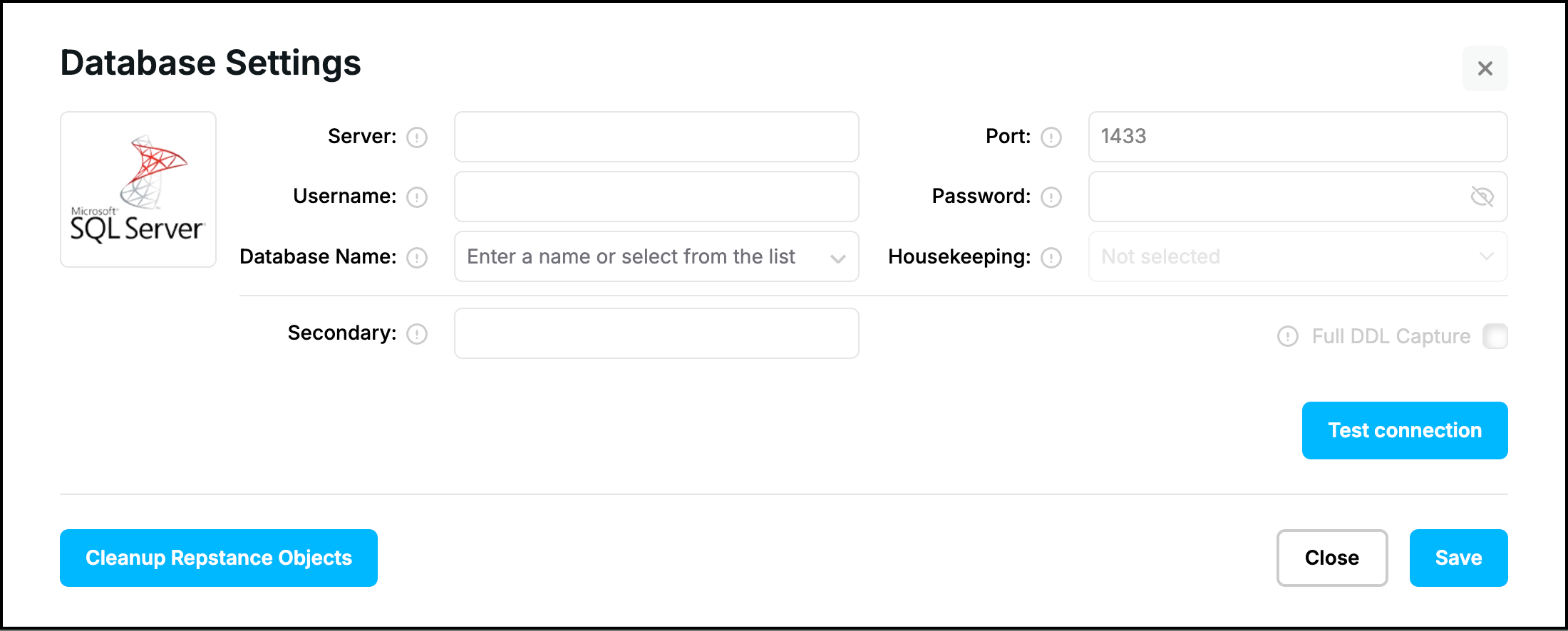
“Housekeeping” is available after “Test connection”. “Disabled”, “Cleanup CDC Tables” and “Cleanup CDC Tables and disable SQL Server housekeeping” are the values 0, 1 and 2 of housekeeping. Choose one before “Prepare for Replication”:
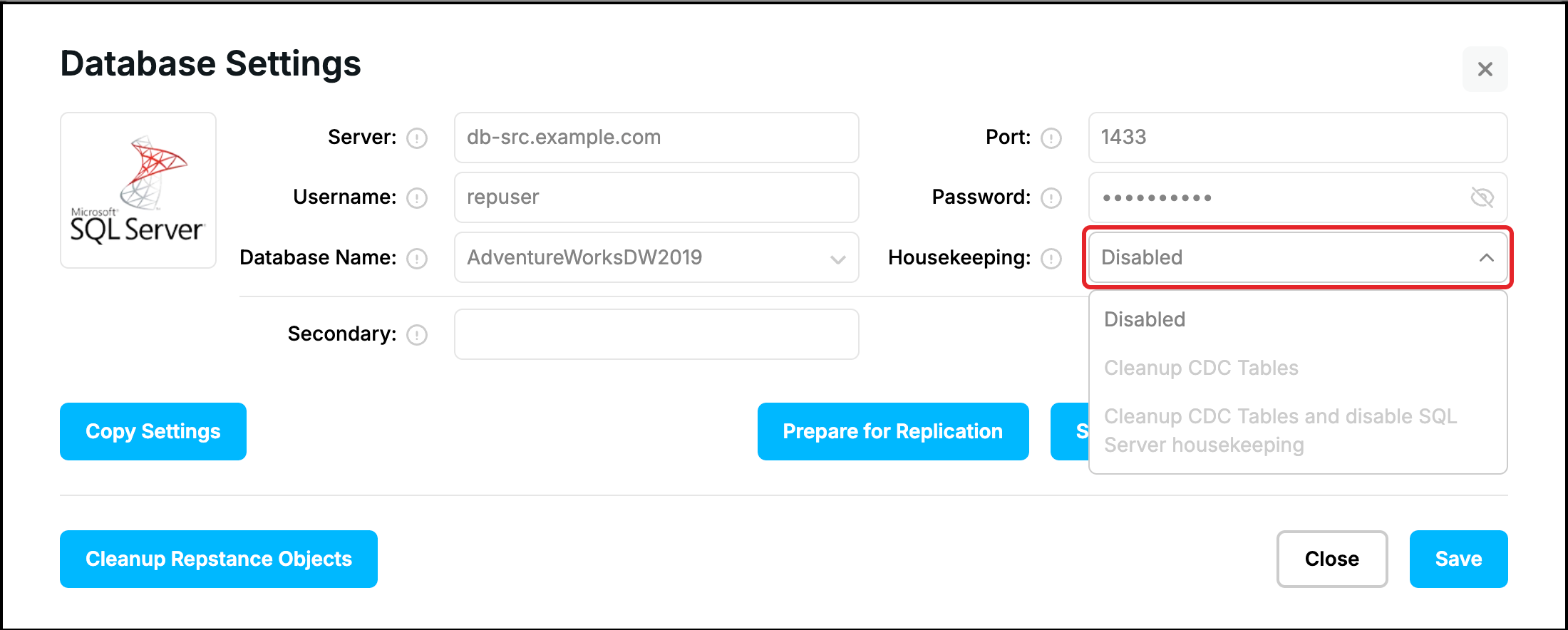
The field “Secondary” and the check box “Full DDL Capture” are part of the same form. “Secondary” is the parameter secondary of the Capture Process (see SQL Server Capture Parameters), prepare and validate do not use it. “Full DDL Capture” is a choice of prepare: when it is ticked the database trigger records every DDL statement of the database, otherwise only the DDL statements of tables, primary keys and indexes.
Prev page:
Prepare Source DatabaseNext page:
Oracle as Source- Repstance User Guide
- ABOUT REPSTANCE
- SUPPORTED DATABASE REQUIREMENTS
- GETTING STARTED WITH REPSTANCE
- INTERACTING WITH REPSTANCE SERVER
- CONFIGURE REPLICATION WITH REPSTANCE
- PROCESS CONFIGURATION COMMANDS
- PROCESS CONTROL COMMANDS
- DATA COMPARISON
- REPSTANCE WEB USER INTERFACE
- REPSTANCE SERVER MAINTENANCE
- MONITORING WITH AMAZON CLOUDWATCH
- MONITORING WITH AZURE MONITOR
- TROUBLESHOOTING AND FAQ
- GLOSSARY