

PostgreSQL as Target
Note – PostgreSQL is supported as a Target by Repstance Advanced Edition only (see Supported Database Requirements).
These parameters are used by prepare, validate and remove with database=target dbtype=postgresql (see Prepare Target Database, Validate Database and Remove Repstance Objects from Database). The login that is given in user needs the privileges that are described in Database Privileges. The connection uses sslmode=require and falls back to disable when the server has no SSL.
Parameters
| Parameter | Description |
|---|---|
| database | target. Required. |
| dbtype | postgresql. Required. |
| generatesql | 1 makes prepare return the SQL script and change nothing. The default is 0: prepare creates the objects. validate does not use the parameter, and remove removes the objects whatever its value. |
| server | The host name or the IP address of the PostgreSQL server. Required. |
| port | The TCP port of the PostgreSQL server, usually 5432. Required. |
| user | The login that Repstance connects with. Required. |
| password | The password of the login. Required. |
| dbname | The database to connect to: the schema repi is created in it. Required, except with generatesql=1. |
Examples
Return the script instead of running it. No connection is made:
repcli prepare database=target dbtype=postgresql server=pg-tgt.example.com port=5432 dbname=testDB user=repuser password=Passw0rd123 generatesql=1
[Completed]:
---- SQL ----
create schema if not exists repi;

create table if not exists repi.apply_ckpt(
        apply_id int primary key,
        file_sequence int not null,
        md_sequence int not null,
        position bigint not null,
        first_lsn char(22) not null,
        ckpt_lsn char(22) not null,
        ckpt_lsntime timestamp,
   ldckpt bigint not null default 0,
...
The database is required to prepare or to validate:
repcli validate database=target dbtype=postgresql server=pg-tgt.example.com port=5432 user=repuser password=Passw0rd123
[Invalid]: No database is provided
Web UI
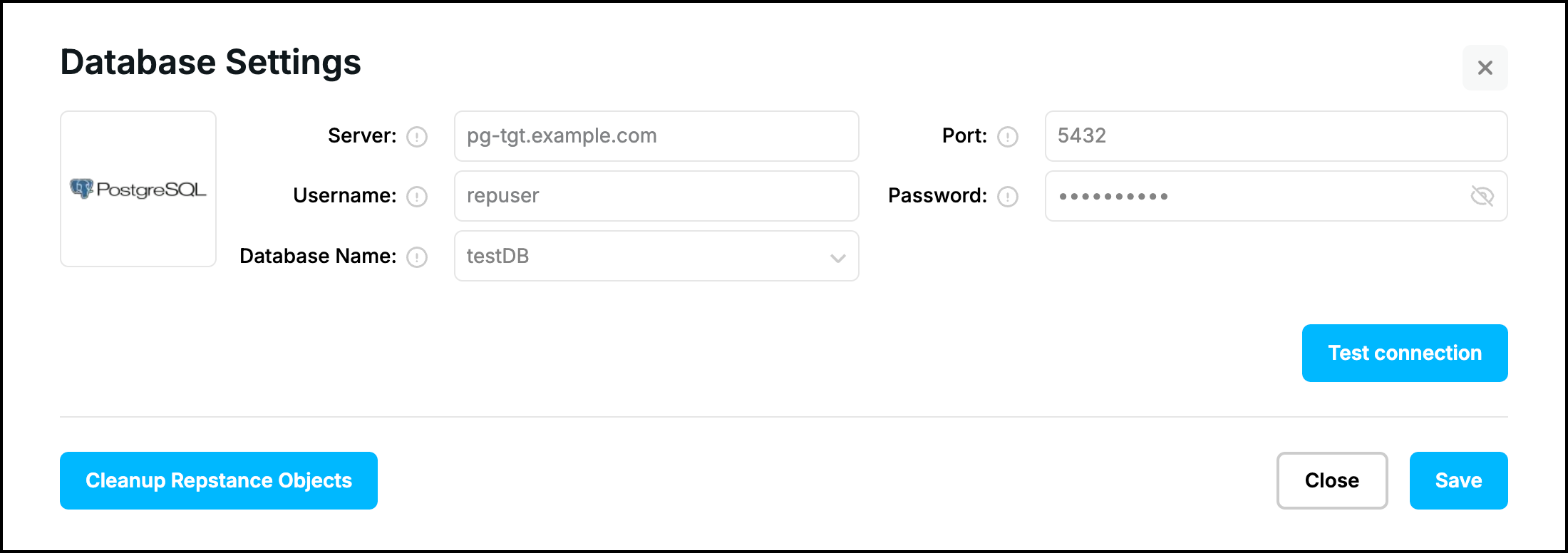
The form “Database Settings” of an Apply Process for PostgreSQL has the fields “Server”, “Port”, “Username”, “Password” and “Database Name” (the list shows the databases of the server). The buttons that prepare the database are shown in Prepare Target Database:
Prev page:
SQL Server as TargetNext page:
MySQL as Target- Repstance User Guide
- ABOUT REPSTANCE
- SUPPORTED DATABASE REQUIREMENTS
- GETTING STARTED WITH REPSTANCE
- INTERACTING WITH REPSTANCE SERVER
- CONFIGURE REPLICATION WITH REPSTANCE
- PROCESS CONFIGURATION COMMANDS
- PROCESS CONTROL COMMANDS
- DATA COMPARISON
- REPSTANCE WEB USER INTERFACE
- REPSTANCE SERVER MAINTENANCE
- MONITORING WITH AMAZON CLOUDWATCH
- MONITORING WITH AZURE MONITOR
- TROUBLESHOOTING AND FAQ
- GLOSSARY