

Remove Replication Configuration
You can remove any replication processes from the main dashboard section. Removing a process deletes its configuration and log files and unregisters the process in the database. For a Capture Process it also deletes the trail files and the checkpoint information and, for a SQL Server Source Database, disables CDC on the tables which only this process captures. For an Apply Process it deletes the position of the process, which is stored in the Target Database. The tables of the Source and Target Databases and their data are not removed.
The removal cannot be undone. Back up the trail files, the configuration files and the checkpoint information before you remove a Capture Process (see Backup Repstance Files). The Apply Processes which use the data of a removed Capture Process stop working.
Note – the process should be stopped in order to be removed
The “Delete” button of a running process is disabled (see Stop/Run Replication Processes for stopping a process):

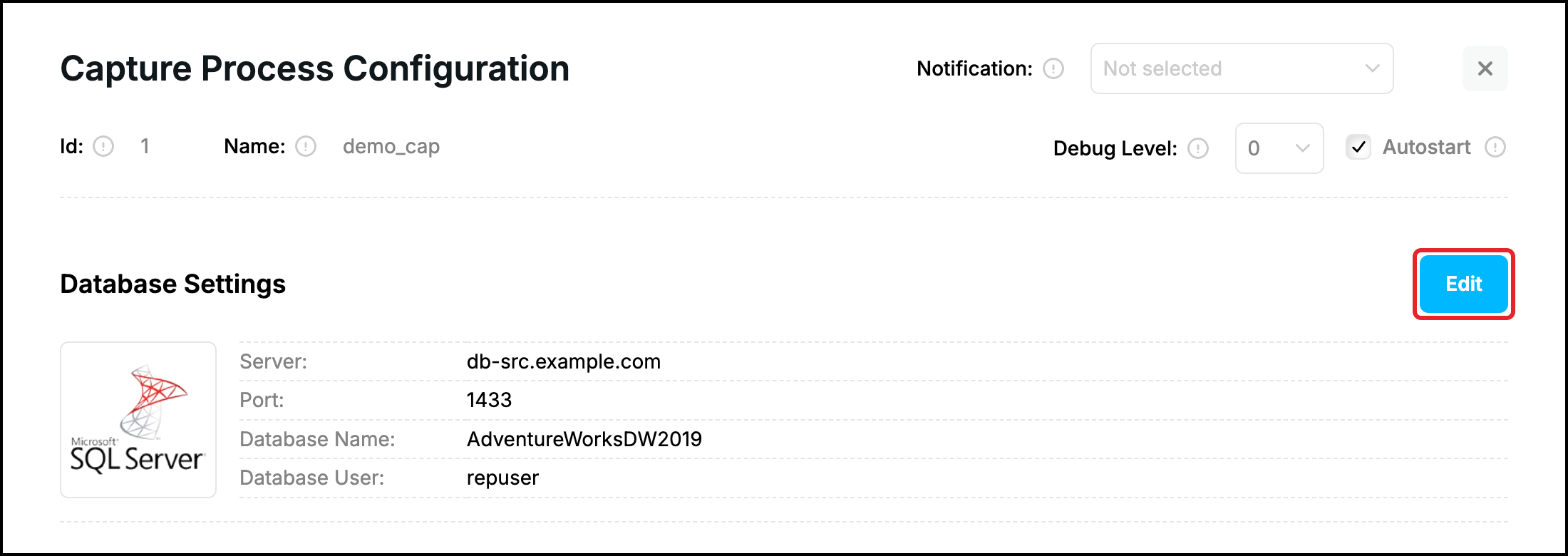
Click “Edit” on the process tab to remove the process:

It will open “Edit process tab”. Click “Delete” at the bottom of the form:

The confirmation form will appear. Click “Delete” if you wish to remove the process, “Close” keeps it:
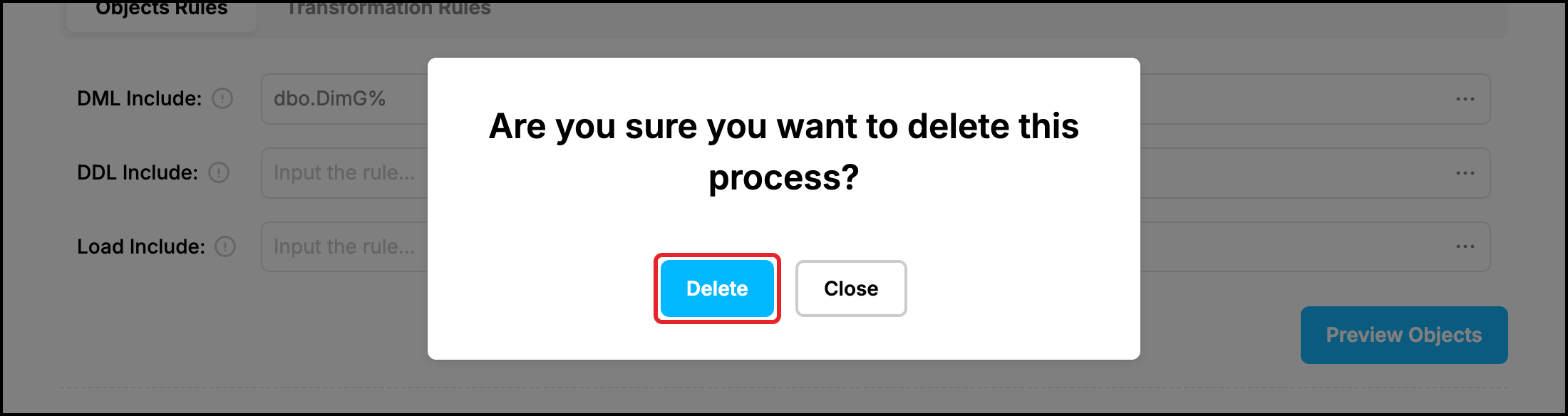
The process disappears from the dashboard. An Apply Process is removed in the same way, the Capture Process which it reads keeps working.
Remove the Repstance objects from the database
The objects which Repstance has created in a database (see Setup First Replication) are not removed together with a process, because other processes can use them. If the database is not needed for the replication any more, click “Edit” in the “Database Settings” section of the process form:
Click “Cleanup Repstance Objects”. The objects are removed at once, there is no confirmation. For a SQL Server Source Database CDC is disabled on the tables used by Repstance:
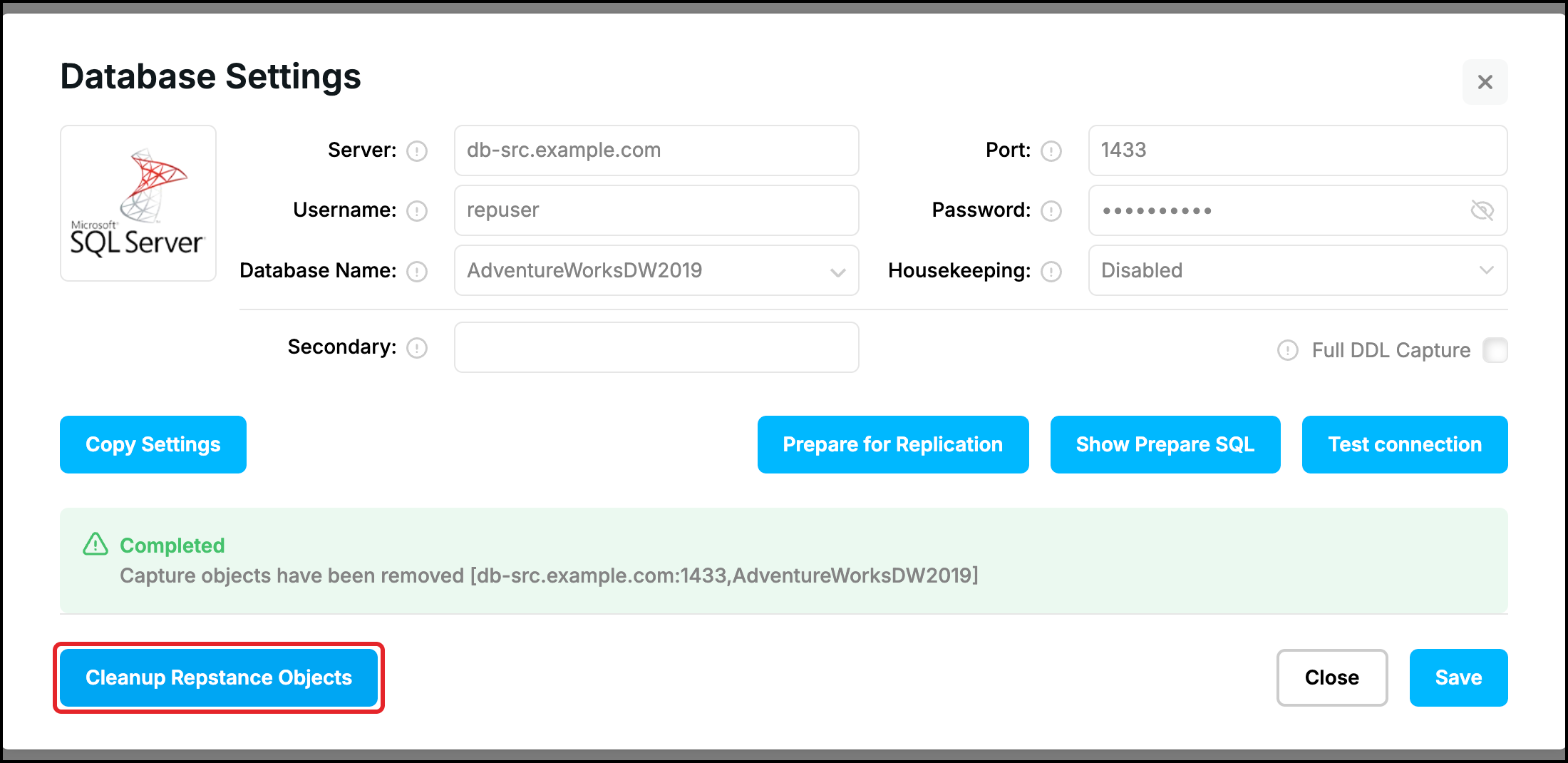
Warning: the objects are used by all the Capture and Apply Processes of the database, and every process which still uses them fails. Use “Cleanup Repstance Objects” only when no other process uses the database. To use the database for the replication again, click “Prepare for Replication” in the same window.
For more information, see Remove Process and Remove Repstance Objects from Database
Prev page:
Edit Replication ProcessesNext page:
Replication Object Wizard- Repstance User Guide
- ABOUT REPSTANCE
- SUPPORTED DATABASE REQUIREMENTS
- GETTING STARTED WITH REPSTANCE
- INTERACTING WITH REPSTANCE SERVER
- CONFIGURE REPLICATION WITH REPSTANCE
- DATABASE CONFIGURATION COMMANDS
- PROCESS CONFIGURATION COMMANDS
- PROCESS CONTROL COMMANDS
- DATA COMPARISON
- REPSTANCE SERVER MAINTENANCE
- MONITORING WITH AMAZON CLOUDWATCH
- MONITORING WITH AZURE MONITOR
- TROUBLESHOOTING AND FAQ
- GLOSSARY